What to look for in MDM features
- Core categories: Every MDM solution should cover device enrollment, application management, security and compliance, content and policy control, monitoring and analytics, and cross-platform scalability.
- Table-stakes vs. advanced: Remote wipe, encryption, and enrollment are the baseline. Automated onboarding, unified endpoint management, and enterprise integrations are what actually separate solutions.
- Choose by gap, not by list: The right features are the ones that close what your current setup — or your existing MDM — can't, sized to your fleet and OS mix.
- Watch cross-OS: Most tools handle Windows well and Mac/Linux inconsistently. Verify parity across every operating system before you commit.
MDM features are the capabilities a mobile device management solution uses to enroll, secure, monitor, and control the devices in your fleet (the laptops, phones, and tablets your team carries) across Windows, macOS, Linux, Android, and iOS.
They cluster into a handful of core categories, and the ones that matter most depend on your fleet size, your OS mix, and the gaps in whatever you're running today.
That last part is where most evaluations get hard. You're rarely choosing an MDM from scratch. You already have something — Intune, Jamf, a spreadsheet and good intentions — and you're trying to work out which features close the gaps it leaves. Meanwhile every vendor's page lists the same twelve capabilities, so they all start to blur together.
Pick wrong and it costs you both ways: you pay for enterprise features a ten-person team will never touch, or you find out the one capability you skipped was the remote wipe you needed the morning a laptop didn't come back.
This guide breaks down the MDM features that actually matter, the table-stakes ones every solution should have, the advanced ones that separate serious platforms, and how they play out in real environments. By the end you'll have a checklist you can hold up against any tool you're considering.
Top features of modern MDM solutions
Modern Mobile Device Management (MDM) solutions offer a variety of features to help organizations manage devices effectively. These include device enrollment, app management, security measures, and more. Each feature is designed to ensure that devices are secure, efficiently managed, and able to support business operations seamlessly.
Device enrollment and provisioning
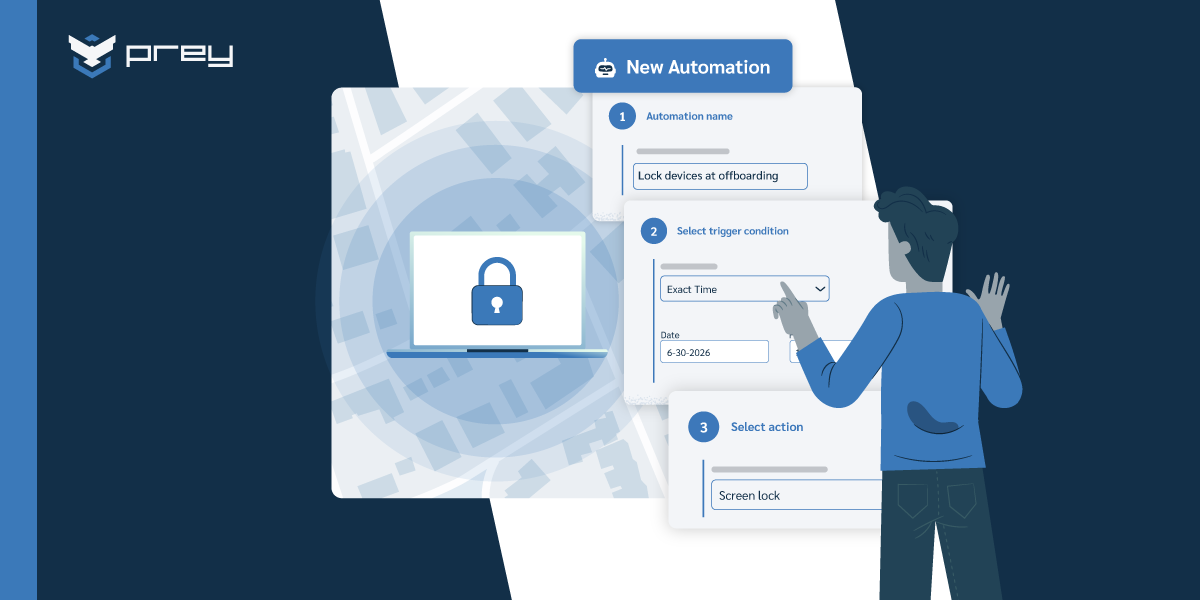
Onboarding new devices shouldn’t be a time-consuming or complicated process. Modern MDM solutions simplify this with device enrollment features that allow IT teams to add devices to the management system quickly and efficiently. For example, tools like Zero-Touch Enrollment for Android or Apple’s Device Enrollment Program (DEP) allow devices to be configured and ready to use straight out of the box—no physical setup required.
Imagine a company onboarding 100 new remote employees. Instead of manually setting up each device, IT administrators can automate the process, ensuring every laptop and smartphone comes preloaded with the necessary settings, applications, and security policies. Over-the-air provisioning also enables IT teams to configure devices remotely, reducing onboarding time by up to 70% and ensuring employees can hit the ground running.
Application management
Managing applications across a fleet of devices is critical for both productivity and security. With application management, IT teams can remotely deploy, update, or remove apps as needed. For instance, a healthcare organization can ensure all devices used by field workers have access to approved telehealth apps while blocking unauthorized apps that may pose security risks.A great example of this is during a software vulnerability crisis—when a popular app is found to have a security flaw, IT teams can immediately push updates or uninstall the app across all devices, preventing potential breaches. Additionally, app usage monitoring ensures employees comply with company policies, reducing risks associated with unapproved software installations.
Security management
Data breaches and cyberattacks are constant threats, but strong security features in MDM solutions can help organizations stay protected. Remote wipe, for example, allows IT teams to erase sensitive data from lost or stolen devices. Imagine an employee losing their laptop containing sensitive customer information—remote wipe ensures that data is deleted before it can be accessed by malicious actors.
Encryption and password enforcement add additional layers of security. For example, companies in regulated industries like finance or healthcare can ensure compliance with GDPR or HIPAA by requiring encrypted communication and enforcing strong password policies. MDM solutions also provide location tracking, helping organizations recover misplaced devices while maintaining data security.
Content and policy management
Keeping data safe means controlling who can access it and how it’s shared. Content management features ensure sensitive files are only accessible to authorized users. For example, a law firm can distribute confidential case files to specific devices while restricting their access on others.
Policy management adds another layer of control by setting rules for device usage. For instance, an organization might restrict access to certain websites or block specific applications during work hours to maintain productivity and security. These policies can be tailored by role or department, ensuring compliance with organizational and regulatory standards.
Device monitoring and analytics
Monitoring device health and usage helps IT teams make smarter decisions. For example, an organization can use analytics to track which devices are nearing the end of their lifecycle or identify performance bottlenecks affecting employee productivity. This proactive approach minimizes downtime and ensures all devices are operating efficiently.
Real-time monitoring can also alert administrators to suspicious activity, such as a device accessing unauthorized networks, applications, or even locations. For instance, if an employee’s phone connects to a risky public Wi-Fi network, IT teams can intervene immediately to protect company data. By analyzing trends, businesses can allocate resources more effectively, reducing costs while maximizing device performance.
Scalability and multi-platform support
As businesses grow, so does the complexity of managing devices. Scalability ensures that an MDM solution can handle thousands of devices just as efficiently as it handles dozens. For example, a growing retail chain with hundreds of stores can manage all its point-of-sale systems and employee tablets from a single dashboard.
Multi-platform support allows IT teams to manage devices running different operating systems, such as iOS, Android, Windows, Linux, and macOS. For instance, a hybrid work environment might have employees using a mix of personal and company-owned devices. With multi-platform support, businesses can enforce consistent security and compliance policies across all devices, regardless of their operating system. The details differ by platform, though: securing Android devices isn't the same job as managing a Windows fleet, which is why segment-specific guidance matters as much as the cross-platform view.
Patch and update management
Outdated software is a major security risk, but keeping devices updated manually can be overwhelming. With patch management, MDM solutions automate this process. For example, during a global ransomware attack exploiting an unpatched vulnerability, an MDM solution can ensure that all devices receive the critical update immediately, reducing the organization’s exposure to risk.Scheduling updates during non-working hours minimizes disruptions, ensuring employees remain productive. For instance, a logistics company can roll out updates to drivers’ tablets overnight, ensuring they’re ready for use the next morning without interrupting delivery schedules.
Network management and control
Controlling network access is vital for protecting sensitive information. Network management features allow IT teams to block unauthorized devices from connecting to the company’s network. For example, a university can ensure that only approved devices can access its internal Wi-Fi, reducing the risk of malware spreading through student or visitor devices.
Bandwidth management is another critical feature, prioritizing important applications like video conferencing or customer relationship management (CRM) tools. For instance, a distributed sales team can maintain high-quality video calls without interference from less critical traffic, improving productivity.
Remote troubleshooting and support
Technical issues can grind productivity to a halt, especially for remote employees. Remote troubleshooting tools allow IT teams to diagnose and resolve problems without physically accessing the device. For example, if an employee’s tablet freezes during a critical client meeting, IT support can take control of the device, identify the issue, and resolve it within minutes.
Screen sharing and access to device logs also enable faster problem-solving. A marketing agency managing multiple devices for a campaign can avoid costly delays by quickly resolving tech issues remotely, keeping their projects on track.
Role-based access control (RBAC)
Not everyone in an organization needs the same level of access. RBAC ensures that employees can only access the tools and data necessary for their roles. For example, in a hospital, doctors might have access to patient records, while administrative staff can only view scheduling data.
This granular control not only enhances security but also reduces the risk of accidental data exposure. For instance, a financial firm can prevent entry-level employees from accessing sensitive financial reports, ensuring that critical information remains protected while enabling teams to focus on their specific responsibilities.
Advanced features in MDM solutions
Today’s Mobile Device Management (MDM) solutions go beyond basic device management, offering advanced features that enhance efficiency, security, and user satisfaction. These cutting-edge tools help organizations tackle complex challenges, streamline operations, and stay ahead of evolving security threats. Let’s explore some of these advanced features and how they can transform your approach to device management.
Automated onboarding
Setting up new devices manually can be time-consuming and prone to errors, especially for large organizations or remote teams. Automated onboarding eliminates this hassle by enabling devices to be configured, provisioned, and ready to use straight out of the box. For example, with Apple’s Device Enrollment Program (DEP) or Android Zero-Touch Enrollment, IT teams can pre-configure settings, policies, and applications before devices are even unboxed.
This feature is especially useful for distributed teams. Imagine onboarding 50 new remote employees—automated onboarding can reduce setup time by up to 80%, ensuring every device is ready for use with minimal effort and maximum consistency.
Enhanced security protocols
Advanced security features are essential in today’s threat landscape. MDM solutions now include tools like conditional access, which restricts access to company data based on the device’s compliance status. For example, a device that isn’t running the latest security updates could automatically be blocked from accessing sensitive resources.
Encryption, remote wipe, and geofencing further enhance data protection. If a device is lost or stolen, IT teams can remotely wipe its data and even track its location in real time. This ensures sensitive information stays secure, even in worst-case scenarios. For businesses handling regulated data, such as healthcare providers, these protocols are crucial for maintaining compliance with standards like HIPAA or GDPR.
Integration with enterprise systems
MDM solutions are no longer standalone tools—they integrate seamlessly with enterprise systems like Active Directory, Microsoft Intune, and Salesforce. This integration simplifies workflows, reduces the need for manual data entry, and ensures consistent policies across platforms.
For instance, an organization using Active Directory for user authentication can automatically apply the same credentials and access policies to mobile devices managed through their MDM. This unified approach not only enhances security but also improves employee productivity by reducing repetitive tasks.
Unified endpoint management (UEM)
Many advanced MDM solutions now incorporate Unified Endpoint Management (UEM) capabilities, enabling IT teams to manage all endpoints—mobile devices, desktops, laptops, IoT devices, and more—from a single platform.
For example, a company using a UEM-enabled MDM solution can monitor both an employee’s smartphone and their workstation, ensuring consistent policies are applied across all devices. This level of control improves visibility, reduces management complexity, and strengthens overall security posture.
Advanced analytics and insights
Understanding how devices are used and how they perform is critical for optimizing management strategies. Advanced MDM solutions provide detailed analytics, offering insights into usage patterns, compliance rates, and potential risks.
For instance, IT teams can identify devices that frequently fail compliance checks and take proactive measures to address the underlying issues. These insights also help organizations optimize resource allocation—ensuring underused devices are reallocated where they’re needed most, reducing costs while improving efficiency.
Remote support and troubleshooting
When employees encounter device issues, every minute of downtime affects productivity. Advanced remote support tools enable IT teams to diagnose and resolve problems without needing physical access to the device.
For example, an employee experiencing connectivity issues can request assistance, and IT can remotely access the device, identify the problem, and resolve it in real time. Features like screen sharing and device logs make troubleshooting faster and more effective, improving user satisfaction and minimizing disruptions.
Why advanced features matter
Incorporating advanced features into your MDM strategy isn’t just about keeping up with technology—it’s about staying ahead. Whether it’s automated onboarding to streamline operations, enhanced security protocols to protect sensitive data, or advanced analytics to inform smarter decisions, these features empower organizations to operate more efficiently and securely in an increasingly mobile-first world.
Real-world use cases of advanced MDM
Mobile Device Management (MDM) solutions aren’t just about managing devices—they’re about empowering industries to operate more efficiently, securely, and effectively. Here’s how MDM is transforming key sectors with real-world applications.
Retail industry
Retailers rely on MDM solutions to ensure consistency across their sales channels and provide a seamless shopping experience for customers. For example, MDM can manage inventory data in real time, synchronizing product availability, pricing, and promotions across both physical stores and e-commerce platforms.
Imagine a scenario where a customer orders a product online for in-store pickup. With MDM, store employees can instantly check inventory availability, ensuring the item is ready when the customer arrives. Additionally, MDM can secure point-of-sale (POS) systems, safeguarding customer payment data and ensuring compliance with PCI DSS standards.
Healthcare sector
In healthcare, MDM solutions play a critical role in ensuring patient data security and streamlining workflows. For instance, hospitals can use MDM to manage devices used by doctors and nurses, ensuring they have secure access to electronic health records (EHRs), treatment histories, and insurance information.
A real-world example: During a medical emergency, an MDM-enabled tablet allows paramedics to securely access a patient’s medical history en route to the hospital, helping doctors prepare for treatment before the patient arrives. Additionally, MDM helps maintain compliance with regulations like HIPAA, protecting sensitive patient data from unauthorized access.
Remote work teams
Remote teams thrive on seamless collaboration and secure access to resources, and MDM makes this possible. For example, MDM ensures that employees working from home have access to the latest project files, client data, and collaboration tools like Slack or Microsoft Teams.
Consider a marketing agency managing a distributed workforce across multiple time zones. With MDM, the agency can remotely deploy updates to team devices, ensuring everyone has access to the latest campaign materials. At the same time, MDM can enforce security policies, such as VPN usage, to protect sensitive client information when employees work from public Wi-Fi networks.
Education sector
MDM solutions are revolutionizing how educational institutions manage devices and data. Schools and universities can use MDM to provide secure access to course materials, manage student devices, and even monitor attendance.
For example, a university offering online courses can use MDM to distribute learning materials and software to students’ devices remotely, ensuring everyone has access to the tools they need for success. IT administrators can also use MDM to prevent unauthorized apps or websites during exams, maintaining academic integrity while creating a secure learning environment.
From retail and healthcare to remote work and education, MDM solutions are proving their value across diverse industries. By centralizing data, enhancing security, and streamlining workflows, these tools help organizations adapt to modern challenges while staying efficient, secure, and competitive.
How to choose the right MDM solution
Selecting the best Mobile Device Management solution for your organization is a critical decision that impacts security, productivity, and scalability. With so many options available, here’s a step-by-step guide to help you make an informed choice:
1. Assess your organization’s needs
Start by evaluating your specific requirements. How many devices do you need to manage? Are they company-owned, employee-owned (BYOD), or a mix? Small businesses may prioritize cost-effective solutions with essential features, while larger enterprises may need more robust tools with advanced capabilities.
For example, a startup managing 50 devices might benefit from a lightweight, affordable MDM solution, while a multinational corporation managing thousands of devices will require enterprise-grade options with scalability and integration capabilities.
2. Check compatibility with existing systems
Your MDM solution should integrate seamlessly with the tools and systems you already use. This includes compatibility with operating systems like iOS, Android, and Windows, as well as enterprise software such as Active Directory, Intune, or Salesforce.
Imagine an IT department already using Active Directory for user management. Choosing an MDM that integrates with it ensures smoother workflows and eliminates redundant processes. Disruptions due to incompatibility can lead to inefficiencies and frustration, so this step is crucial.
3. Prioritize security features
Security is non-negotiable in today’s digital landscape. Look for MDM solutions that offer essential features like:
- Encryption to protect sensitive data.
- Remote wipe to safeguard data in case of lost or stolen devices.
- Access controls to enforce user permissions and restrict unauthorized access.
For example, a law firm handling confidential client data can ensure compliance with regulations like GDPR by choosing an MDM with strong encryption and secure access protocols.
4. Consider scalability
Your business needs will evolve, so your MDM solution should grow with you. Ensure it can handle more devices, users, and features as your organization expands.
For instance, an e-commerce company with a seasonal workforce might need an MDM solution that can temporarily manage additional devices during peak sales periods. Choosing a scalable option ensures flexibility without requiring a complete system overhaul.
5. Evaluate vendor support and reputation
Reliable customer support is essential, especially when dealing with technical issues or implementing complex features. Research the vendor’s reputation by reading reviews and testimonials.
Ask questions like:
- Does the vendor offer 24/7 support?
- Are training resources, documentation, or onboarding assistance provided?
For example, a school district adopting an MDM solution for student devices will benefit from a vendor that offers prompt support during implementation and ongoing use, minimizing downtime and disruption.
6. Balance costs with features
Budget considerations are important, but don’t compromise on essential features for the sake of cost. Compare options to determine what’s included in each pricing tier and decide which features are non-negotiable for your organization.
Here’s a quick comparison to weigh your options:
| Feature | Prey | Intune | Jamf | Hexnode |
|---|---|---|---|---|
| Remote lock & wipe | Yes | Yes | Yes | Yes |
| GPS tracking | Always-on | Periodic (slow) | No | Periodic |
| Geofencing | Yes | No | No | Yes |
| App management | Soon | Advanced | Advanced (Apple) | Advanced |
| Multi-OS support | Win, Mac, Linux, Android, iOS, Chrome | Win, Mac, iOS, Android | Apple only | Win, Mac, iOS, Android |
| Policy enforcement | Yes | Advanced | Advanced | Yes |
| Camera capture | Yes | No | No | No |
| Breach monitoring | Yes | No | No | No |
| MSP multi-tenant | Yes | No | No | Yes |
| Starting price | From $1.3/device/mo | Bundled w/ M365 | $3.33/device/mo | $1/device/mo |
For example, a growing business might start with an affordable option like Prey for tracking and protection, then evaluate whether they need a heavier MDM for advanced app management as their fleet scales.
7. Test before committing
Demos and free trial versions are invaluable. They allow you to explore the solution’s user interface, features, and compatibility with your workflows before making a decision.
For instance, an IT manager can test two or three MDM solutions side by side, evaluating how easy they are to use, how well they integrate with existing systems, and how effectively they meet security needs. Hands-on testing often reveals strengths or limitations that might not be apparent in marketing materials.
8. Think long-term
Choosing the right MDM solution isn’t just about solving today’s challenges—it’s about preparing for the future. Opt for a solution that can adapt to emerging technologies, security threats, and your organization’s growth trajectory.
| Area | Ask this before you buy | Why it matters |
|---|---|---|
| Enrollment | Does it support zero-touch enrollment for your OS mix (Apple ADE, Android Enterprise, Windows Autopilot)? | Manual enrollment doesn't scale past a few dozen devices. |
| Cross-OS | Does it manage Windows, macOS, Linux, Android, and iOS with equal depth, or just one well? | Most tools are strong on Windows and thin on Mac/Linux. |
| Scalability | Will it grow with your fleet without per-seat cost spikes or rigid licensing? | Licensing traps surface at renewal, not at signup. |
| Security | Can it enforce encryption, screen lock, and password policies across every OS? | Uneven enforcement is where audits fail. |
| Incident response | How fast can it trigger a remote lock or wipe on a lost device? | Minutes matter; some tools take over half an hour to start. |
| Compliance | Does it flag non-compliant devices automatically and export audit-ready reports? | Manual evidence-gathering is the hidden tax of compliance. |
| App management | Does it support app whitelisting/blacklisting and a self-service install portal? | Manual allow/block lists don't survive a growing app catalog. |
| Visibility | Do you get always-on device location, check-in history, and granular inventory (version, serial)? | "Last seen yesterday" isn't visibility. |
| Integration | Does it connect to your identity provider (Entra ID, Google Workspace), SSO, and SIEM? | Without IdP/SSO an MDM sits outside your stack. |
| Safe rollout | Can you test a policy in monitor/dry-run mode before enforcing it? | Pushing an untested policy fleet-wide is how you lock people out. |
| Support | Is support human and responsive, or a ticket queue? | When a device goes missing you don't want to wait in line. |
Why Prey?
Here's the reality of choosing MDM features: you're rarely starting from zero. In our latest Tech industry survey, 73% of IT leaders were already running Intune (most with a second tool layered on top), and 53% rated managing a mixed Windows, macOS, and Linux fleet from a single MDM as inconsistent or poor. Feature selection, in practice, is gap-filling — and that gap is exactly what Prey is built for.
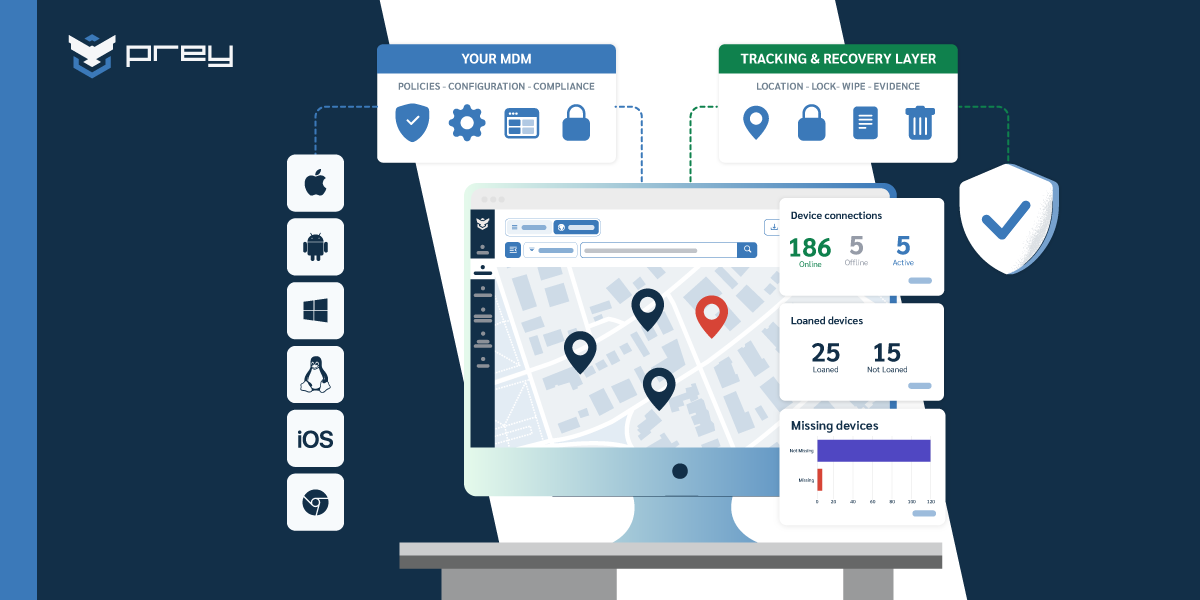
Prey runs alongside whatever MDM you already have, adding the capabilities most solutions cover thinly:
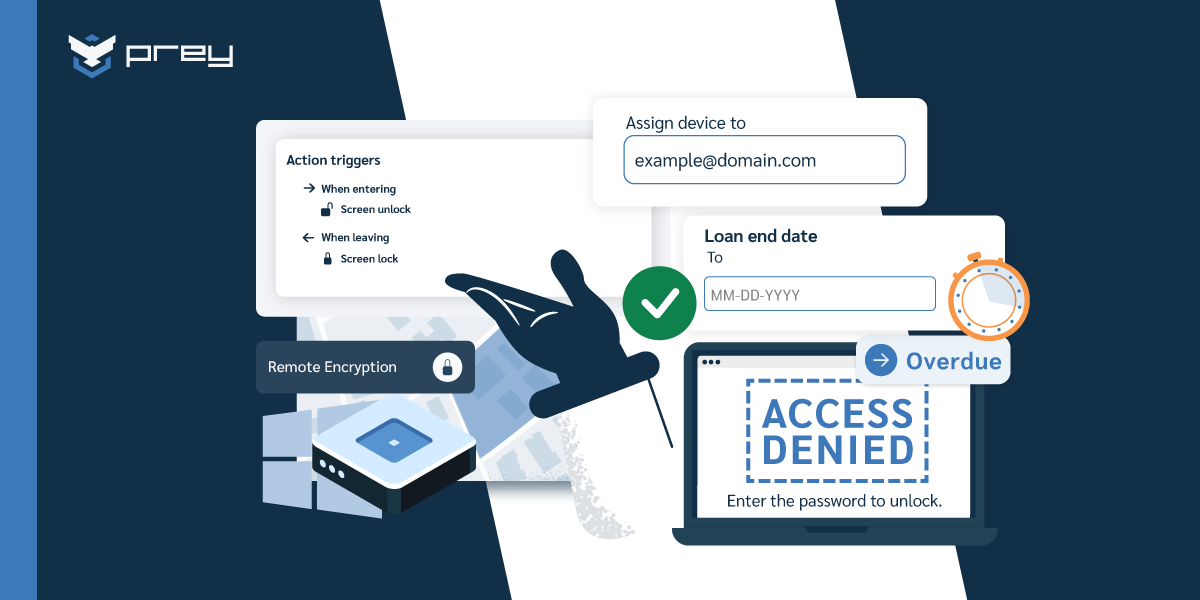
- Instant remote lock and wipe. Secure a lost or stolen device in seconds. One MSP measured Intune taking 34 minutes just to start a remote wipe; Prey fires immediately.
- Always-on location and check-in history. See where every device is now, not where it was yesterday, and reconstruct its movements when one goes missing.
- True cross-OS parity. Windows, macOS, Linux, Android, and iOS managed with the same depth, including the Linux blind spot most tools skip.
- Simple enrollment and a single dashboard. Add devices in minutes and manage the whole fleet from one place, with human support instead of a ticket queue.
You can go deeper on how Prey fits into a broader device management stack in our mobile device management guide, or see how it serves device-heavy environments like schools and universities.
Conclusion
When selecting an MDM solution, it’s crucial to identify your organization’s specific needs. Consider whether you need to manage corporate-owned devices or support a BYOD policy. Decide if your priority is security, app management, or automation.
Creating a feature comparison table can help you evaluate which MDM solutions meet your most important criteria. This approach allows for a side-by-side analysis of different options.
The ease of use and integration with existing systems is vital. An MDM solution should seamlessly work with your current infrastructure to avoid any operational disruptions. Compatibility and scalability are also key factors to keep in mind as your business grows.
Key Points to Consider:
- Security: Ensuring your devices and data are safe.
- Management Capabilities: Effective control over devices and apps.
- Compatibility: Harmonizing with your existing systems.
- Scalability: Adapting as your business expands.
By focusing on these aspects, you can choose an MDM solution that will provide robust device management while aligning with your business objectives.
Frequently asked questions
What are the features of MDM?
MDM features are the capabilities that let IT enroll, secure, monitor, and control devices remotely. The core categories are device enrollment and provisioning, application management, security and compliance enforcement, content and policy control, monitoring and analytics, and cross-platform scalability. Advanced solutions add automated onboarding, unified endpoint management, and enterprise integrations.
What features should I look for in MDM software?
Prioritize the features that close your specific gaps: cross-OS parity if you run a mixed fleet, fast remote lock and wipe for lost devices, automated compliance reporting for audits, identity-provider and SSO integration, and licensing that flexes with fleet size. Test policies in a monitor mode before enforcing them.
What are the 4 types of MDM?
MDM is often grouped with related approaches: MDM for device-level control, MAM for application management, MCM for content management, and UEM or EMM for unified management across device types. Many modern solutions combine these into one platform, so the capabilities matter more than the labels.
What are the must-have MDM features for small teams?
For a lean IT team, the must-haves are simple enrollment, remote lock and wipe, encryption enforcement, basic inventory, and always-on device location, without a steep setup. Skip the enterprise-grade complexity you won't use and prioritize a single dashboard and human support over feature bloat.
What advanced MDM features do enterprises need?
Enterprises typically need automated onboarding at scale, role-based access control, deep identity and EDR integrations, granular inventory at the version and serial level, unified endpoint management across device types, and audit-ready compliance reporting. Cross-OS consistency and SIEM integration become critical as the fleet and regulatory load grow.