What you need to know about remote device management
- What it is: Remote device management (RDM) is how IT teams monitor, secure, and control devices from anywhere, without physical access to the hardware.
- The real challenge: It is not writing policy. It is keeping a live connection to devices that roam between networks you do not control.
- RDM vs MDM vs RMM: They overlap but are not the same. RDM is the umbrella, MDM handles enrollment and policy, RMM leans toward monitoring and patching.
- What good looks like: Always-on visibility, remote actions that work across Windows, macOS, and Linux, and an audit trail you can hand to an auditor.
- Why it matters: If a laptop goes dark on a Friday, your response time is a function of your tooling, not your intentions. Prey sits in this layer: always-on location, remote lock and wipe, and device inventory across Windows, macOS, Linux, Android, iOS, and Chromebook from one dashboard.
The way we work has changed, and it's not going back. Whether your team is fully remote, hybrid, or spread across time zones, one thing is clear: your devices are everywhere. And when your devices are everywhere, so are your risks.
According to Gallup, over 52% of U.S. full-time employees work remotely at least some of the time. That means laptops in coffee shops, phones on public Wi-Fi, and sensitive data one click away from being exposed. The question isn't if you need a strategy; it's how fast you can implement one.
Enter Mobile Device Management (MDM), a critical piece of any remote-first strategy. MDM doesn't just help IT keep tabs on devices. It helps organizations create structure and enforce security in environments that are, by nature, decentralized. From enforcing encryption and remote wipes to pushing critical updates and responding to threats as they happen, MDM is no longer a nice-to-have; it's a must-have.
While many associate MDM with basic device tracking, its real power lies in how it supports security policies, enables IT responsiveness, and builds a consistent experience for remote teams. MDM software plays a crucial role in managing devices effectively within organizations.
In this article, we'll unpack the core challenges of managing remote devices and show how MDM helps not just solve them, but turn them into opportunities for better productivity, lower risk, and smoother IT operations. Let's dive in.
How remote work has expanded the IT security perimeter
Remote work has become the new norm, and with it comes an entirely new surface area for IT to defend. At its core, remote device management is the ability to monitor, configure, secure, and support devices from a centralized platform, without ever being in the same room as the hardware. It covers the full device lifecycle: enrollment, policy enforcement, patching, troubleshooting, and eventual retirement or wiping.
As employees work from various locations, the risk of data breaches and cyber threats increases. Mobile devices are particularly vulnerable, making mobile device management (MDM) a crucial layer of any remote work security strategy.
MDM solutions enable organizations to manage and secure not just phones and tablets, but laptops, desktops, and other endpoints that live outside the office. By implementing MDM as part of a broader remote device management strategy, organizations can ensure their remote workers have secure, policy-compliant access to corporate data, reducing the risk of data breaches and unauthorized access across the entire fleet. The perimeter question becomes practical fast: Prey reports where each device last checked in, so "outside the office" stops meaning "out of view".
Key challenges of managing devices remotely
Managing devices in a remote or hybrid setting is a different ball game. It's not just a matter of where your team is located; it's about where your data is, how it's accessed, and how quickly you can respond when something goes wrong. This is the operational core of remote device management, and without a remote-first strategy, the cracks in your IT foundation start to show fast.
The challenge spans the entire device lifecycle: from enrollment and policy deployment to patching, troubleshooting, and eventual retirement. Every stage introduces friction when there's no physical access to the hardware.
Here are the biggest hurdles organizations face when trying to manage devices outside traditional office walls:
- Devices get lost or stolen more easily. Working from public places increases the odds of someone leaving a laptop in an Uber or having a phone swiped at a café. Without the right tools in place, these incidents can go from frustrating to catastrophic.
- Access points multiply, and so do the risks. Employees log in from personal networks, use shared devices, and don't always follow best practices. These factors increase the risk of unauthorized access and make it harder for IT teams to maintain control in a remote environment.
- Shadow IT is more common than you think. When workers don't have easy access to the tools they need, they find their own. Unapproved apps and platforms introduce unknown vulnerabilities and create security blind spots.
- Software updates fall through the cracks. When devices aren't regularly connected to the office network, it's easy for updates and patches to go missed, leaving known vulnerabilities wide open.
- IT feels distant, because it is. Remote employees need support just like anyone else, but when IT can't walk over to their desk, troubleshooting slows down. That delay can lead to downtime, frustration, and security risks.
The gap most teams feel first is the lost device. Prey keeps always-on location and remote lock available on every major OS, so an incident that starts in an airport lounge doesn't wait for the laptop to come back.
A subtle but important point: These problems don't just exist in remote settings; they're amplified by them. Without centralized oversight, even small issues can snowball into serious setbacks.
That's why a purpose-built Mobile Device Management (MDM) solution is so essential. It gives your IT team the reach, visibility, and control they need to manage devices proactively, no matter where work happens.
Remote troubleshooting is a key part of the equation. With capabilities like remote access, screen sharing, and command-line execution, IT teams can diagnose and resolve issues in real time, no shipping, no desk visits, no downtime while someone waits for a fix.
Benefits of using an MDM for a remote work environment
When your team is spread across cities, countries, or even continents, knowing where devices are is table stakes. The real question is: are they protected, patched, and easy to support when something inevitably goes sideways? That's where MDM earns its keep.
A well-implemented MDM platform gives your IT team superpowers, allowing them to maintain control and deliver a consistent experience across every device, no matter the location. Here's how MDM makes remote work safer and smoother for everyone involved:
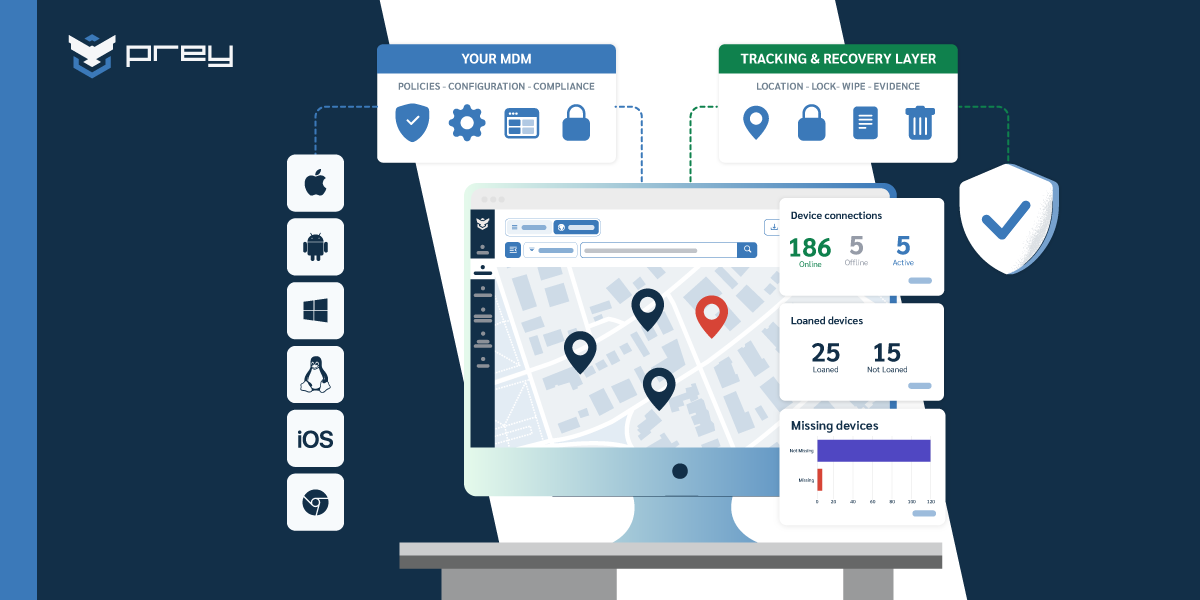
- Always-on visibility into every device. With a centralized dashboard, IT can see which devices are online, what software they're running, and whether they're compliant with company policies, at any time.
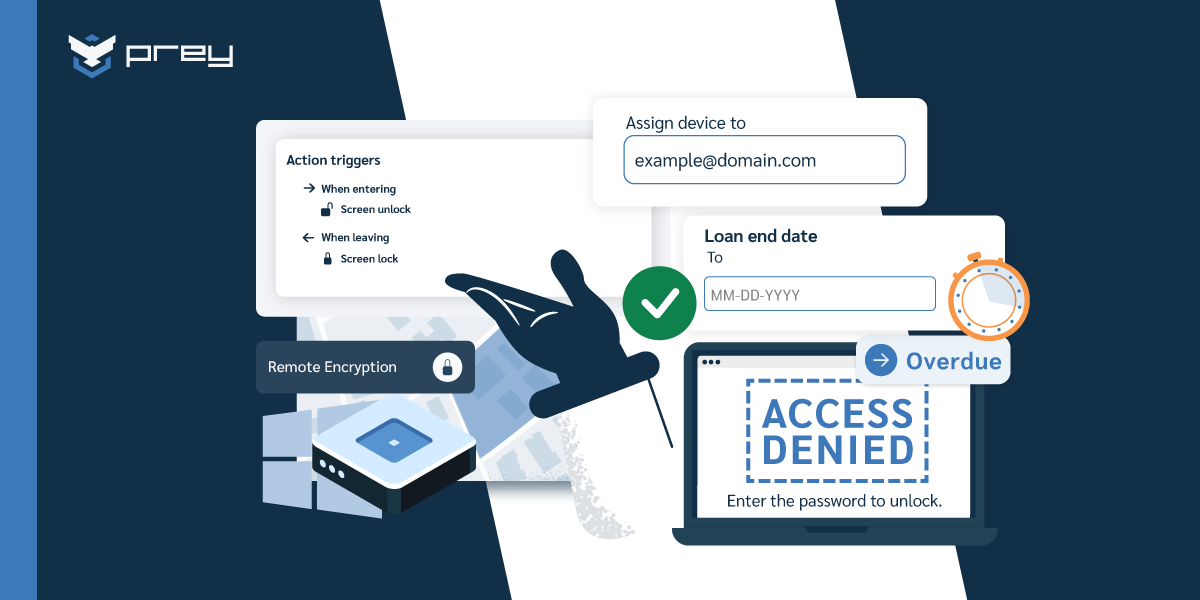
- Remote lock and wipe capabilities. If a laptop is lost or a phone is stolen, IT can instantly lock the device or wipe sensitive data to prevent a breach. It's a safety net that travels with your team. Prey delivers this set from one dashboard: device inventory, always-on location, remote lock and wipe, and an action log showing which command ran and when.
- Automated enforcement of updates and patches. Security updates are only useful if they're actually installed. MDM tools can push OS and app updates remotely, reducing the risk of vulnerabilities being exploited.
- Centralized policy control, built for BYOD and RTO. Whether employees are using company-owned laptops or their own smartphones, MDM lets you apply consistent security policies across the board. It also makes transitioning back to the office (or into hybrid setups) a lot easier.
- Zero-touch deployment for remote hires. With zero-touch enrollment, IT can ship a device directly to an employee's home. The moment it powers on, it pulls its configuration, apps, and security policies automatically — no manual setup, no IT intervention required.
- Better IT support and fewer help desk tickets. With visibility into device status and the ability to push fixes remotely, IT can resolve issues faster, often before employees even notice a problem.
- Smart incident response. MDMs with geolocation and behavioral monitoring features can detect suspicious activity (like a device suddenly logging in from another country) and trigger automatic actions like a lockout or alert.
Think of it like this: MDM creates a virtual IT presence beside every employee, wherever they are. It helps you move fast, stay secure, and keep your people productive. MDM solutions contribute to increased productivity by streamlining access and automating updates, allowing remote teams to focus more on their work. Additionally, MDM enhances operational efficiency by automating device management processes, reducing manual intervention and improving overall IT productivity.
How MDM supports productivity and security
Security is often the headline when talking about MDM, but what often gets overlooked is how much it boosts productivity too. MDM helps enforce security policies across mobile devices, enhancing overall security for remote teams. For remote and hybrid teams, MDM isn't just a safety mechanism; it's a key enabler of smooth, efficient day-to-day operations.
MDM solutions restrict access to certain files or applications, preventing unauthorized use and securing corporate information. Additionally, managing device configurations is crucial to enhance security and operational efficiency, especially for remote workers.
Streamlined onboarding and offboarding
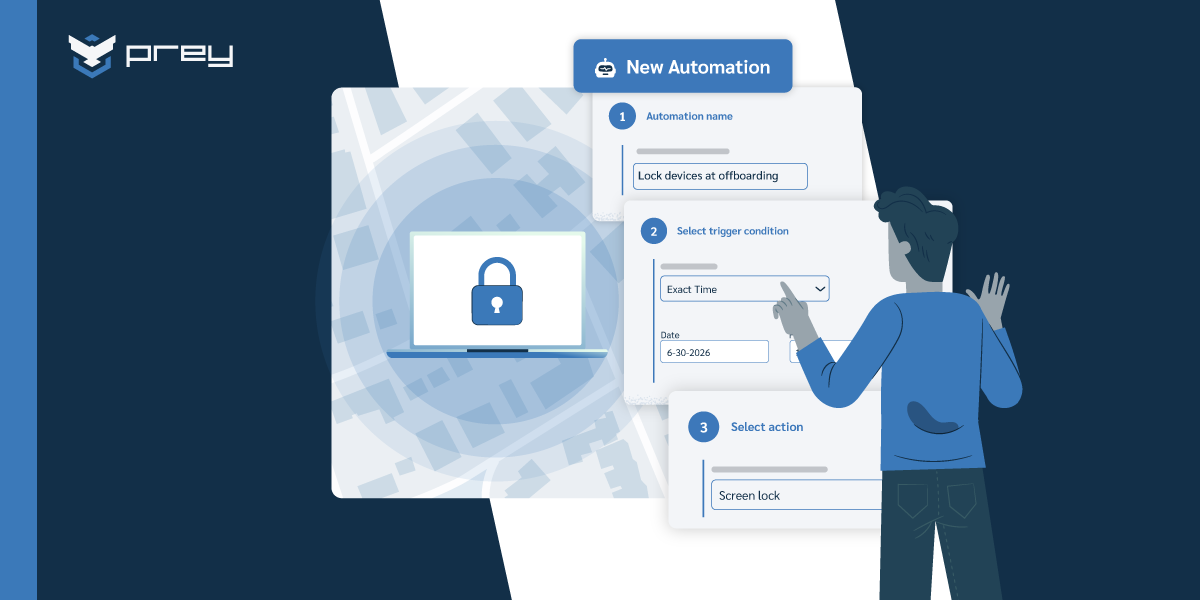
Getting a new employee up and running remotely used to take days. With MDM and zero-touch deployment, it can take minutes. Devices are pre-configured with the right software, settings, and access controls before they even arrive at the employee's doorstep — no manual IT setup required. And when someone leaves the company? With one click, IT can revoke access and wipe corporate data, without touching the physical device. Prey handles the offboarding half: an admin can lock the device, run a selective wipe of corporate data, or trigger a full reset from the dashboard, without the laptop coming back to the office.
Learn more in our article about calculating the ROI of using an MDM.
Data loss prevention during transitions
People come and go, and so do their devices. MDM helps reduce the risk of human error or malicious intent during transitions. MDM solutions prevent data breaches by securing devices and data. Whether it's a role change, a leave of absence, or an exit, MDM makes it easy to secure sensitive data without disrupting the employee's experience, or losing track of hardware. MDM also helps protect sensitive information during these transitions by enabling remote wiping and tracking capabilities. Prey records each action with a timestamp and the admin who triggered it, which is the evidence a transition audit asks for.
Industry-specific compliance made simpler
From HIPAA in healthcare to FERPA/CIPA in education, different industries come with different requirements. MDM lets you tailor device rules to meet those standards (like enabling encryption by default or restricting access to certain types of data) so you stay compliant without slowing down your team. MDM solutions also help organizations meet regulatory compliance standards by enforcing security measures such as strong encryption and policy enforcement.
Learn more in our articles on MDM in healthcare , MDM for MSP's and MDM in education.
Real-life scenario: MDM in action
Picture this: your marketing manager is working from a local café when they step away from the table for just a moment. In that short window, their laptop is gone. But thanks to your MDM platform, IT receives an alert, geolocates the device, remotely locks it, and initiates a secure data wipe, all before the thief even figures out how to open it. Additionally, MDM solutions can remotely wipe devices to protect sensitive corporate data in case of theft, ensuring unauthorized access is prevented.
This kind of response isn't science fiction. It's what MDM enables in a remote-first world.
Security features of MDM solutions
MDM solutions pack a serious security punch when configured properly. Here are the features that matter most for remote fleets:
- Device encryption: Ensures data at rest is unreadable without proper credentials — critical when laptops travel everywhere.
- Multi-factor authentication and access controls: Only authorized users get in. Period.
- Remote lock and wipe: If a device goes missing, IT can act in seconds, not days.
- Enrollment-gated access: By requiring MDM enrollment before granting access to corporate resources, admins can verify device health and enforce baseline security before any data is ever touched.
- Always-on monitoring and alerting: Security teams get real-time visibility into device status, enabling faster response to anomalies.
Prey covers encryption status, remote lock and wipe, always-on monitoring, and enrollment visibility across every major OS from a single console.
The bottom line: these features work together to create layered defense — not just a single lock on the front door.
What to look for in a remote MDM solution
If your organization is embracing remote or hybrid work, the MDM solution you choose needs to go beyond the basics. You're not just looking for a tool that can wipe a lost laptop; you need a system that empowers your IT team, protects sensitive data, and scales as your workforce grows.
One common misstep? Buying separate tools for each device class — one for laptops, another for mobile, yet another for monitoring — when a unified platform can cover the overlap. Consolidation reduces complexity, cuts costs, and gives IT a single source of truth. MDM provides that complete control over devices, allowing companies to manage and secure them remotely from one place.
Here's what to keep an eye out for when evaluating MDM platforms built for remote environments:
- Cross-platform coverage: Your team is likely using a mix of devices — Windows laptops, macOS desktops, Linux workstations, Android phones, iPads, and more. Your MDM should manage them all seamlessly from a single pane of glass. Bonus points if it extends visibility to shared endpoints like kiosks or conference room hardware.
- Remote lock, wipe, and alarm functions: These features are critical when a device is lost or stolen. Look for platforms that make it easy to secure data without waiting on physical recovery.
- Automation, geofencing, and behavior-based rules: The best MDM tools can react instantly, locking devices that leave designated regions, flagging suspicious logins, or automatically deploying updates.
- Scalability from startups to enterprises: Whether you're managing 20 devices or 2,000, your MDM should grow with you. It should also support multiple admins, locations, and levels of policy enforcement.
- Ease of use for distributed IT teams: A sleek dashboard, clear reporting, and minimal training requirements go a long way, especially when your support team is spread across time zones. MDM solutions provide instant access to essential apps and resources, reducing wasted time in searching or setting up applications.
- And of course, an easy and reliable tech support team.
For a more detailed breakdown, check out our article on the Top Features of Modern MDM Solutions.
Curious how Prey stacks up? Prey checks these boxes from one console: Windows, macOS, Linux, Android, iOS, and Chromebook under one account, remote lock, wipe and alarm, geofencing with behavior-based rules, and per-device pricing without a per-OS surcharge.
Common mistakes to avoid when managing devices remotely
Even with the right MDM solution in place, mistakes can happen, especially if your policies or practices weren't built with remote work in mind. Here are some of the most common missteps we see (and how to stay ahead of them):
- Thinking a VPN is enough. VPNs help secure network connections, but they don't do anything for a lost laptop, an outdated OS, or a rogue app. MDM is what closes those gaps.
- Inconsistent or unclear remote policies. If your policies vary by team or are only loosely enforced, you're opening yourself up to confusion and risk. MDM helps apply guardrails consistently across all devices.
- Overlooking BYOD risks. Just because it's a personal device doesn't mean it can be exempt from your security framework. If a BYOD phone accesses work email, it should meet minimum compliance standards. Managing personal devices within the security framework is crucial to protect sensitive information.
- Relying on manual processes. Remote work demands speed and automation. If IT has to step in for every update or issue, it creates a bottleneck and opens the door to errors.
- Fragmenting your toolstack. Running one platform for laptops, another for mobile, and a third for monitoring creates blind spots, duplicate work, and reconciliation headaches. Where use cases overlap, consolidate into a unified solution.
- Not monitoring off-hours activity. Suspicious behavior doesn't always happen from 9 to 5. With remote teams, your security posture needs to be always on. MDM with behavior monitoring helps catch anomalies before they become incidents.
MDM solutions enhance data security by enforcing security measures such as device encryption, access control, and the ability to remotely wipe data, which are essential for safeguarding remote work environments from data breaches and cyber threats.
Tip: Build a regular review process around these areas. Quarterly audits and team feedback loops can help you catch small issues before they become systemic problems. Two of these show up in an inventory view: Prey flags which devices carry an active agent and which never enrolled, which is where BYOD gaps and shadow IT surface first.
MDMs in remote work environments: real-life scenarios
While every company has its own structure and culture, the challenges of managing remote devices are surprisingly universal. MDM solutions support remote team members by providing seamless access to essential resources. The importance of remote management lies in maintaining security and efficiency, especially for organizations with remote teams. The following fictional but realistic scenarios illustrate how MDM can make a difference across different industries and remote team setups:
Scenario 1: A fully remote company
Imagine a fast-growing tech startup onboarding 100 new employees across three time zones. With MDM, each device is pre-configured before it's even shipped. When the employee turns it on, company apps, security policies, and login credentials are already in place. IT doesn't have to manually touch a single device, and employees can hit the ground running from day one. Prey enrolls each device once and reports it the moment it connects, so the fleet view is populated before anyone opens a ticket.
Scenario 2: Sales teams on the move
A national sales team is constantly on the road, using company-issued tablets to demo products and close deals. With MDM, geofencing is set up to notify IT if a device is used outside its assigned region. MDM solutions manage Apple devices effectively, ensuring consistent configurations and strong security protocols. It is also crucial to manage corporate devices alongside personal ones to maintain security and compliance within BYOD environments. If one is lost during travel, it's immediately locked and tracked. Admins can also push new sales collateral or app updates to all devices at once. Prey's geofencing zones trigger exactly this: an alert when a device leaves its assigned area, and lock or wipe available from the same screen.
Scenario 3: Remote finance team
A distributed finance department handles highly sensitive data: budget reports, payroll records, and strategic forecasts. Through MDM, each analyst's laptop is encrypted and remotely monitored. Access is limited to approved networks, and unusual login behavior (like a sign-in attempt from an unfamiliar IP address at 2 a.m.) triggers a security protocol. MDM solutions also help in preserving employee privacy by separating personal and corporate data, ensuring that personal information remains secure. Effective management of personal and corporate data is crucial for maintaining both security and privacy.
These examples may vary in setting, but they share a common thread: MDM gives IT teams the confidence to protect, support, and manage remote devices without sacrificing speed or user experience.
MDM for remote work as an ongoing strategy
The rise of remote work isn't just a shift in location; it's a shift in responsibility. Devices aren't sitting safely behind firewalls anymore — they're on kitchen tables, coworking desks, and tucked inside backpacks on the move. That makes managing them a living, breathing part of your security and operations strategy, not a one-time setup task.
Mobile Device Management gives your organization the structure to thrive in this reality. It acts as a centralized control system that lets you remotely manage devices across Windows, macOS, and Linux — keeping them up-to-date, policy-compliant, and secure. It's not just about having control. It's about building the right environment for flexibility, productivity, and peace of mind, for both IT teams and the people who depend on them.
Prey runs that layer across Windows, macOS, Linux, Android, iOS, and Chromebook, with the location history and action log that make the strategy auditable rather than assumed.
Frequently asked questions
What is the difference between remote device management and MDM?
Remote device management (RDM) is the broader practice of monitoring, securing, and controlling any connected device over a network — without physical access. MDM (mobile device management) is one specific tool inside that umbrella. MDM focuses on enrolling devices, enforcing security policies, and pushing updates. RDM is the strategy; MDM is one way to carry it out.
Most IT teams also use RMM (remote monitoring and management) tools alongside MDM. RMM leans toward monitoring, alerting, and patching, while MDM handles enrollment and policy. Think of RDM as the job title and MDM and RMM as two of the main tools in the toolbox.
Can MDM see my browsing history?
In most cases, no. MDM tools are built to manage device settings and enforce security policies — not to monitor your personal activity. Typical MDM visibility includes things like installed apps, OS version, device health, and network compliance status.
On a BYOD (bring-your-own-device) setup, personal and work data are kept in separate partitions. IT can manage the work partition but cannot access your personal apps, messages, or browsing. On a fully company-owned and supervised device, more monitoring may be enabled depending on how your organization has configured the platform. Your company's device use policy should spell out exactly what is and isn't visible to IT.
Why does my phone or laptop say it's being remotely managed?
That message means your organization has enrolled your device into an MDM (mobile device management) platform. This is a standard part of managing work devices — it is not a warning or an error. It simply means IT can apply security settings, push required apps, and protect company data remotely.
Common actions enabled by that enrollment include enforcing screen lock policies, pushing software updates, and — if a device is lost or stolen — remotely locking or wiping it to prevent a data breach. It does not mean someone is watching your screen live. If you want to know exactly what your organization monitors, your IT team or employee device policy document is the best place to check.
What types of devices can be managed with remote device management tools?
Most modern remote device management platforms cover far more than just phones.
You can typically manage:
- Laptops and desktops — Windows, macOS, and Linux
- Smartphones and tablets — iOS and Android, whether company-issued or BYOD
- Servers — physical and virtual, on-premises or cloud-hosted
- Shared endpoints — kiosks, conference room devices, and other connected hardware
The right scope depends on your organization's device mix. A good platform manages all of them from a single dashboard, so your IT team is not juggling separate tools for each device type.
How does MDM support and secure remote workers?
MDM extends the same control IT has in the office to devices that never come back to it. For remote workers, it enrolls laptops and phones once, then handles security policy, encryption, updates, and remote lock or wipe from a dashboard, with no physical access needed. The piece that matters most off-site is location and recovery: a device on a home network or in transit is easy to lose track of, so always-on location and geofencing close that gap. Prey does this across Windows, macOS, Linux, Android, iOS, and Chromebook, so a distributed team stays visible and recoverable without anyone coming into an office.
How do you deploy MDM to fully remote workers?
Through remote enrollment, so the worker never has to hand the device to IT. You send an enrollment link or provision the device before shipping, the user installs the agent or the device auto-enrolls on first boot, and policies apply over the internet from there. The friction points are getting the agent installed without in-person help and confirming encryption is on, so pick a tool with a light, self-service install. Prey enrolls devices from a single dashboard and works the moment a laptop or phone connects, which is what makes it practical for teams you'll never see in person.