What you need to know about remote device management
- What it is: Remote device management (RDM) is how IT teams monitor, secure, and control devices from anywhere, without physical access to the hardware.
- The real challenge: It is not writing policy. It is keeping a live connection to devices that roam between networks you do not control.
- RDM vs MDM vs RMM: They overlap but are not the same. RDM is the umbrella, MDM handles enrollment and policy, RMM leans toward monitoring and patching.
- What good looks like: Always-on visibility, remote actions that work across Windows, macOS, and Linux, and an audit trail you can hand to an auditor.
- Why it matters: If a laptop goes dark on a Friday, your response time is a function of your tooling, not your intentions.
A device leaves your office and, in a sense, leaves your control. It connects from a home router you have never seen, a hotel network, the Wi-Fi at a café. The policy you wrote still says what should happen. Whether any of it actually happens now depends on one thing: can you still reach the device?
That is the quiet problem behind managing a remote fleet. Most teams have the policies. What they are missing is a live line to the endpoint when it is sitting three time zones away and the person using it is asleep. You cannot push an update, confirm encryption, or wipe a stolen laptop if the device has effectively fallen off your map.
This is where the security and compliance pressure builds. A laptop with patient records or financial data does not stop being your responsibility because it is remote. Auditors still expect evidence that it is encrypted, patched, and accounted for. If you cannot produce that evidence for the devices you cannot see, the gap is already a finding waiting to happen.
This guide covers what remote device management is, how it differs from MDM and RMM, what a workable setup actually does, and where teams get stuck. The goal is practical: by the end you should be able to describe your own visibility gap and know what closes it.
What is remote device management?
Remote device management (RDM) is the practice of monitoring, securing, configuring, and controlling devices from a central console without needing physical access to them. It lets an IT team enroll a laptop, push a policy, check its encryption status, lock it, or wipe it, whether the device is in the next room or on another continent. For a distributed workforce, RDM is what replaces the old assumption that IT could walk over to a machine.
The concept became non-optional when work stopped happening in one building. When every device sat on the corporate network, visibility was almost a side effect of the network itself. Now a meaningful share of your fleet connects from networks you do not own and cannot inspect. RDM is how you keep a working relationship with those devices anyway: a persistent agent on the endpoint, checking in to a console you control, ready to report status or take action.
Ownership models shape how far that control reaches. A corporate-owned laptop gives you full management authority; a personal phone under a bring-your-own-device arrangement gives you a narrower, negotiated slice. Most fleets are a mix of BYOD, CYOD, COPE, and COBO devices, which is a management challenge in itself. We go deeper on that in the BYOD and mobile device management guide. The takeaway for now: RDM has to work across ownership types, not just the machines you bought.
Quick win: List every device type your team is responsible for, then mark which ones you can currently reach remotely and which you cannot. The unreachable column is your RDM scope, and probably your biggest risk.
Remote device management vs MDM, UEM, EMM, and RMM
The terms get used interchangeably, which causes real confusion when you are evaluating tools. Here is the practical distinction.
Remote device management is the broad category: any capability to manage a device you cannot physically touch. Mobile device management (MDM) is a specific discipline within it, focused on enrolling devices, applying configuration profiles, and enforcing policy, historically on phones and tablets, now across laptops too. Remote monitoring and management (RMM) grew out of the managed-service world and leans toward health monitoring, patching, and scripted remediation, usually on servers and workstations. You will also hear unified endpoint management (UEM), which aims to manage every endpoint type from one console, and enterprise mobility management (EMM), which bundles device, app, and content management for mobile-heavy environments.
The reason this matters operationally: buying an RMM tool because you needed MDM leaves you without clean enrollment and policy enforcement. Buying MDM when your real pain is patch compliance across roaming laptops leaves you scripting workarounds. Match the tool to the job. For a full breakdown of the MDM side, see the mobile device management guide; if you run services for multiple clients, the MDM for MSPs angle changes the tooling math. Here is how the main solution types compare:
| Type | Pros | Drawbacks | Usual features | Best suited for |
|---|---|---|---|---|
| Mobile Device Management (MDM) | Focused on securing and managing mobile devices, easy to implement, cost-effective for mobile-only needs. | Lacks support for desktops and IoT; basic app management; minimal content management. | Device tracking, remote wipe, app management, policy enforcement, inventory management. | Organizations with mobile-first or mobile-only workforces; BYOD environments; SMBs; field service operations. |
| Unified Endpoint Management (UEM) | Comprehensive management across all device types, reduces complexity, offers centralized control. | Complex setup, higher cost, may include features not needed for smaller organizations. | Management for mobile, desktop, and IoT; advanced app management; identity and access management. | Companies seeking unified management; businesses with complex IT environments; organizations prioritizing automation. |
| Enterprise Mobility Management (EMM) | Enhanced security and mobility features, supports BYOD and secure app ecosystems. | Primarily mobile-focused, less comprehensive for non-mobile devices, can be resource-intensive, higher costs. | Secure app ecosystems, content management, advanced policy enforcement. | Large enterprises; organizations with sensitive data; regulated industries; mixed device environments. |
| Remote Monitoring and Management (RMM) | Excellent for remote troubleshooting, performance monitoring, and automation of IT tasks. | Best suited for IT professionals or service providers, may require specialized expertise. | Performance monitoring, issue resolution, software deployment, patch management. | Managed Service Providers (MSPs); IT support teams; help desk operations; multi-location businesses. |
Quick win: Write down the one job you actually need solved first (enrollment, patching, or recovery). That single answer tells you whether you are shopping for MDM, RMM, or a broader RDM platform.
What a remote device management setup actually does
Strip away the marketing and a working RDM setup does three things well.
It gives you visibility. You can see which devices exist, when each last checked in, what OS version it is running, and whether encryption is on. This is the foundation everything else sits on. A device that has not checked in for 45 days is not probably fine, it is a blind spot, and blind spots are where incidents start. Always-on location and status reporting turn “I think we have about 400 laptops” into an actual inventory you can export.
It gives you control. Remote lock, remote wipe, factory reset, forced configuration changes, and policy enforcement, all without the device coming back to an office. Control is what makes visibility actionable: seeing that a laptop is unencrypted only helps if you can do something about it from where you sit.
It gives you leverage. Automations and rules mean you are not doing all of this by hand. A device that leaves an approved geographic zone can trigger an alert; a machine that falls out of compliance can be flagged automatically. For a small team managing a large fleet, this is the difference between keeping up and drowning. It also lets remote workers stay productive without IT becoming a bottleneck: the controls run quietly in the background instead of requiring a support ticket for every change.
Quick win: Export an encryption-status report across your fleet. Any device showing “unknown” is one you cannot prove is protected, and “unknown” is the status auditors circle first.
Why managing remote devices is hard
The honest answer to why this is difficult: everything that used to be handled by physical proximity and a trusted network now has to be handled remotely, across conditions you do not control.
Multiple operating systems. Your fleet is Windows, macOS, and Linux, plus iOS and Android in people's pockets. A tool that manages one well and the others poorly leaves you running parallel processes. Mixed-OS management is where a lot of setups quietly break down. Teams standardizing on open tooling often start with an open-source MDM evaluation, and Android-heavy fleets have their own device management considerations.
Security across networks you cannot inspect. When part of your workforce is always remote, you are enforcing security on devices that roam between home networks and public Wi-Fi. You cannot secure the network, so the control has to live on the endpoint itself. That is a different model than perimeter security, and it is why endpoint visibility matters more than it used to.
Remote deployment and maintenance. Pushing software to devices that roam is harder than it sounds. A machine has to be online, checked in, and reachable at the moment you push. Miss that window and your patch compliance report has holes in it.
Connectivity gaps. A device that is off, offline, or asleep cannot be managed in that moment. Good RDM handles this with queued actions that execute on next check-in, but you have to design for the gap rather than assume constant connection.
People. Users disable agents, ignore update prompts, and use personal devices for work without telling anyone. This is not malice, it is friction. The best technical setup still has to account for the fact that humans route around anything that slows them down.
Quick win: Pull your last patch-compliance report and count the devices stuck on an old build. Those are the machines that were offline when you pushed. That count is your remote-maintenance gap, separate from your recovery gap.
Remote device management in practice: three scenarios
Abstract capability lists do not tell you much. Here is what RDM looks like on an ordinary week.
The roaming patch that would not land. A security update needs to reach 40 laptops. Thirty-four take it overnight. Six do not, because those users were offline or traveling. Without RDM, you find out weeks later during audit prep, when the compliance report shows six machines on an old build. With it, the console flags the six non-compliant devices, queues the update, and applies it the next time each checks in. The gap closes in days instead of surfacing as a finding.
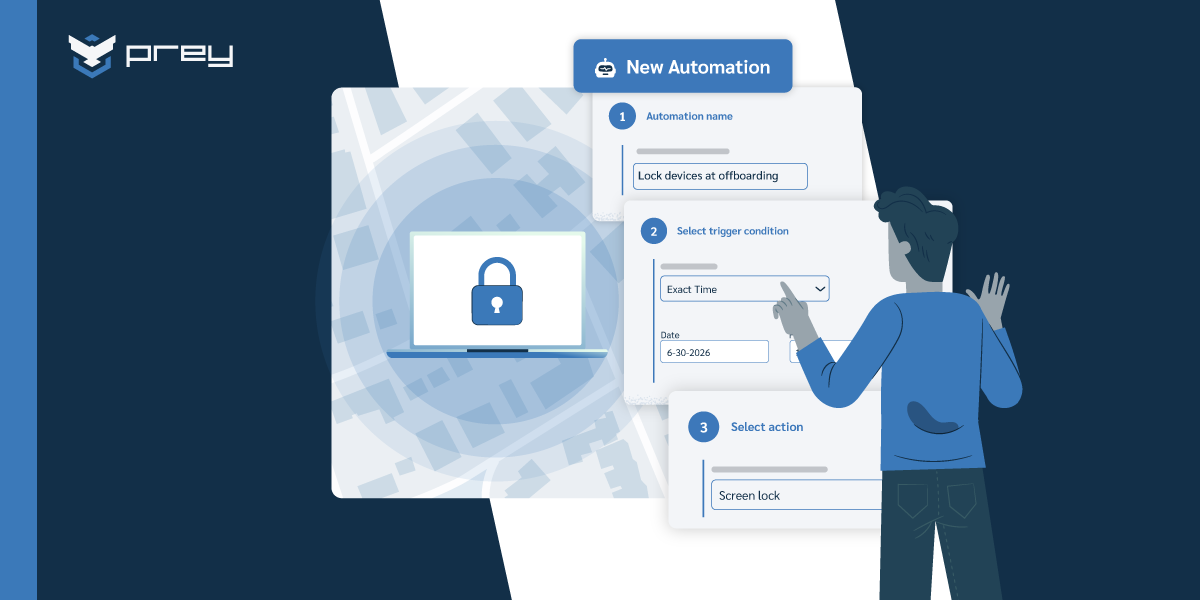
Offboarding a fully remote employee. Someone leaves the company. Their laptop is at their home, 600 miles from the nearest office, and it is never coming back through the front door. As part of the offboarding process, IT locks the device remotely, retrieves the working files that live only on it, then issues a factory reset once the data is secured. Access is closed the same day, and there is an audit record showing exactly when. No shipping label, no lingering access, no gap where a former employee still holds a live corporate machine.
Lost versus stolen, and why it matters. A laptop goes quiet. Location history shows it last checked in at an airport café, then nothing. That pattern, a plausible left-it-behind location, points toward lost, not stolen, so the first move is a remote lock and an alert rather than an immediate wipe. Two days later the café confirms it is in their lost-and-found. Had the history instead shown the device moving steadily away from any route the employee would take, the call flips to wipe. The timeline in the location log is what turns a panic into a decision.
Quick win: Take your most recent lost-or-departing-device situation and walk it back. At each step, ask whether you had the visibility or the remote action to handle it cleanly. Wherever the answer was no, that is a capability to add before the next one.
Remote device management best practices
A few habits separate teams that manage remote fleets calmly from teams that firefight.
Assess your environment before you buy anything. Know how many devices you have, which operating systems, which are corporate versus personal, and which you currently cannot reach. You cannot scope a solution against a fleet you have not counted.
Match features to your actual jobs. Do not buy for a feature list; buy for the two or three things you need to do reliably (recover a device, prove encryption, patch remotely). Everything else is nice to have.
Document policies and, more importantly, make them reflect reality. A remote-work device policy that describes an ideal state nobody follows is worse than none, because it creates a false sense of coverage. Write down what actually happens, then close the distance between that and what should happen. The role of MDM in a remote work environment is a good reference point for shaping realistic policy.
Monitor device status continuously, not during audits. The IT lead who only opens the last-seen dashboard the week before an audit is the one scrambling; the one who glances at it Monday mornings already knows which six devices to chase. A standing dashboard beats a quarterly scramble.
Give people something, not just rules. Training and clear self-service options reduce the friction that makes users disable agents in the first place. Smaller teams especially benefit from tooling that does not require constant hand-holding; the MDM options built for smaller businesses are worth a look if you run a lean shop.
Quick win: Pick one policy you have written and check whether it is actually enforced on devices today. If it is not, either enforce it or rewrite it to match reality. Policies that do not match the fleet are audit liabilities.
How endpoint management tools hold the live line
Everything above points to one requirement: a persistent, reliable connection to every device, whatever OS it runs and whatever network it is on. That is the operational core of remote device management, and it is where a purpose-built platform earns its place.
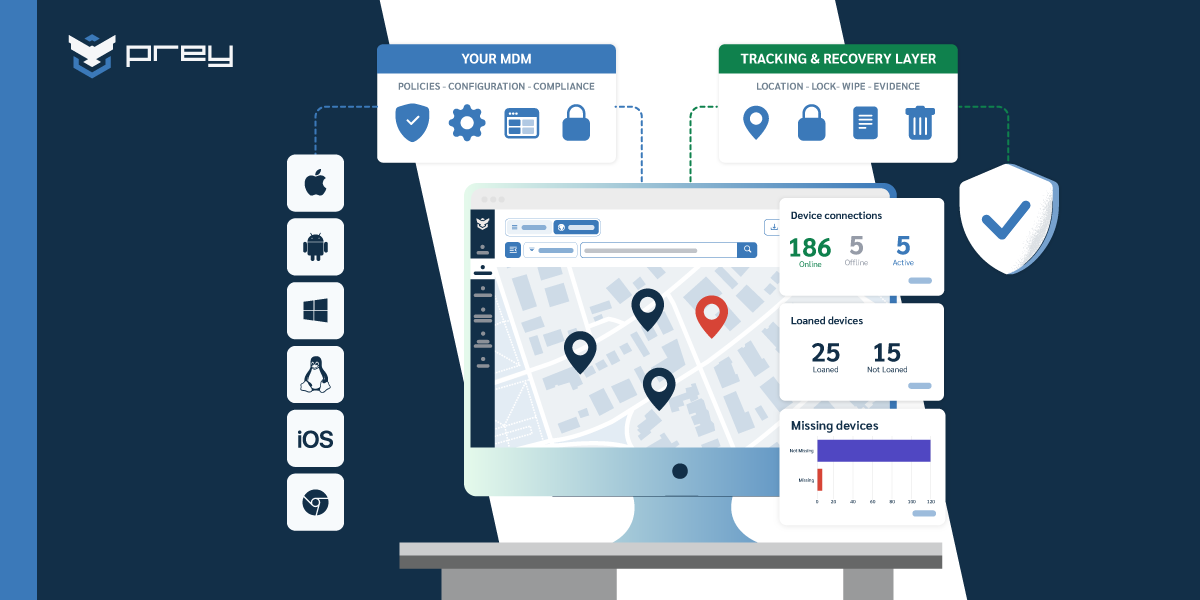
The workflow is consistent. An agent installed on each endpoint checks in to a central console. From there, IT sees the whole fleet at once (last check-in, OS version, encryption state, location) and can act on any device directly: lock it, wipe it, run a factory reset, set a rule that fires when a machine leaves an approved zone. Location history matters more than a single ping, because a trail of check-ins is what lets you tell misplaced from gone and respond correctly.
Prey is one example of a platform built around this model. It runs always-on tracking and status reporting across Windows, macOS, Linux, Android, and iOS from a single console, with remote lock, wipe, and factory reset, geofencing and automations, and location history for recovery decisions. For teams managing devices across multiple clients, a multi-tenant view keeps each fleet separate. The point is not a feature list; it is that the hard part of remote management, the live line to a roaming device, is the thing the tool is designed to hold.
Take the offboarding scenario from earlier. With this kind of setup, the whole sequence (lock, retrieve, reset, log) runs from one screen in an afternoon and leaves an audit record behind. That is what operational means here: not more dashboards, but a shorter path from problem to resolved.
Quick win: Run a two-week test on a handful of your least-reachable remote devices. If you can see and act on all of them from one console by the end, you have closed a real gap.
The bottom line for a distributed fleet
Managing remote devices was never really about writing better policy. Most teams already have the policies. The thing that decides how a Friday-afternoon missing laptop plays out is whether you still have a live line to the device: can you see it, and can you act on it, without anyone walking over to the machine.
That live line is the honest measure of whether your setup works. Not how many features it lists, but whether every device you are responsible for is reachable, reportable, and controllable from where you sit. The devices you can reach are managed. The ones you cannot are risk, waiting for the week you find out the hard way.
Monday-morning move: pull one report, last check-in across your remote fleet, and count the devices you could not act on right now if you had to. That number is your real starting point.
Frequently asked questions
What is remote device management?
Remote device management (RDM) is the practice of monitoring, securing, configuring, and controlling devices from a central console without physical access to them. It lets IT teams enroll, track, lock, wipe, and update devices wherever those devices are, which is essential for distributed and hybrid workforces.
What is the difference between remote device management and MDM?
Remote device management is the broad category for any remote control of devices. Mobile device management (MDM) is a specific discipline within it, focused on enrolling devices and enforcing configuration and security policy. All MDM is remote device management, but RDM also covers monitoring, patching, and recovery capabilities that go beyond policy enforcement.
Is remote device management secure?
Yes, when implemented correctly. Reputable platforms encrypt the connection between the device agent and the management console, require authenticated access, and log every remote action for auditability. The security of the setup depends on access controls and the platform, not on the concept itself.
How do you manage devices that are always remote?
You manage them through a lightweight agent installed on each device that checks in to a central console over the internet, independent of the corporate network. The console reports status and queues actions that execute on the device's next check-in, so you can manage machines that are offline or asleep at the moment you act.
Can you manage Windows, macOS, and Linux from one platform?
Yes. Cross-platform remote device management tools run a compatible agent on each operating system and present a single console for the whole fleet. This matters because most real environments are mixed-OS, and managing each platform with a separate tool multiplies the work and the blind spots.
Do you need to be on-site to manage a device?
No. The entire point of remote device management is to remove the on-site requirement. As long as the device has an agent installed and can reach the internet, you can see its status and take action such as lock, wipe, update, or configure from anywhere.
What should you look for in a remote device management platform?
Four things matter most for a distributed fleet. Cross-OS coverage, so one console handles Windows, macOS, Linux, Android, iOS, and Chromebook instead of a tool per platform. Cloud-native management, so you reach devices over the internet without them touching a corporate network. Real security actions, not just inventory, meaning the ability to locate, lock, and wipe a device remotely. And clear reporting, so you can show what's deployed, encrypted, and compliant during an audit. Ease of deploying to remote hires matters too. Prey is built for that shortlist: always-on location, remote lock and wipe, and grouped fleet reporting across every major OS from a single dashboard.
Does remote device management slow down or spy on employee devices?
On a company-owned device, no on both counts, if the tool is built right. Management runs through a lightweight agent that reports security telemetry (location, encryption status, whether the device is enrolled), not personal browsing or keystrokes, and it's designed to sit quietly in the background rather than tax the machine. The distinction that matters is management versus surveillance: IT needs to know a device is encrypted and where it is if it goes missing, not what someone reads at lunch. Prey is deliberately scoped to that security layer (location, lock, wipe, and inventory), so remote management answers 'is this device safe and where is it,' not 'what is this person doing.'
See what one console does for a fleet that will not sit still
Walk through how always-on visibility and remote actions work across Windows, macOS, and Linux, and find out how fast you could close your own visibility gap. Get a demo.