
Recovering an unreturned company laptop
- The account close isn't the device close: disabling the login leaves the local files, cached credentials, and stored sessions exactly where they are, on the machine.
- Cached credentials outlive revocation: as one MSP put it, people "can still delete data stored locally due to cached credentials" after the account is gone.
- The workflow most checklists skip: locate, confirm possession, lock, document, then decide between recovery and wipe.
- Get it back without a confrontation: an on-screen return message plus an auto-lock tied to the due date moves the return rate with no phone calls.
- When it's gone for good: a remote wipe plus a timestamped record protects the data and gives HR, legal, and auditors something to work from.
The offboarding ticket is marked done. The account is disabled, SSO is revoked, the shared drives are re-permissioned. On paper, the departure is closed. And a company laptop is still sitting on a former employee's kitchen table, with a quarter's worth of local files, a browser full of saved sessions, and cached credentials your identity provider can no longer touch.
This is the part of offboarding that runbooks compress into one line: "collect company devices." It reads like a formality. In practice it's where the real exposure lives, because the data was never in the account. It was on the machine.
For a remote or hybrid workforce, this stops being an edge case. Someone leaves in another city, ships the laptop "next week," and the tracking number never appears. A terminated employee goes quiet. A loaner goes out and doesn't come home. In our conversations with IT teams, the departing-employee data gap and loaner devices that never come back are two of the most common recurring themes, and one technical college library described a device "missing for over a year with no way to track or retrieve it."
This guide is the recovery workflow itself: how to locate an unreturned company laptop, get it back without turning the process into a manhunt, and protect the data on it when the machine is gone for good.
Why disabling the account doesn't close the risk
Revoking access and recovering a device are two different jobs, and finishing the first makes the second feel done when it isn't. Disabling the account stops new cloud logins. It does nothing about files already synced to the local disk, credentials cached in the browser and OS keychain, or the VPN profile still on the machine.
That gap is not theoretical. An MSP serving legal and healthcare clients described it directly: "Even after disabling a user's account, employees can still delete data stored locally due to cached credentials." The laptop keeps working offline. Cached tokens can hold a session open longer than you'd expect. Locally stored documents, exports, and screenshots never touched your identity provider in the first place, so revoking that identity leaves them exactly where they are.
There's an asset-management cost sitting next to the data-security one. A device you can't account for is a device you can't reassign, and its license keeps burning. A DaaS provider managing 760 devices summarized the operational version: "We can't recover licenses for devices that never come back." Every unreturned machine is a line item you're still paying for, a gap in your device inventory, and a compliance question you can't answer.
The mental model that fixes this: identity offboarding and device offboarding are separate closes. Your IdP handles the first. The second needs its own steps, its own owner, and its own definition of done, because the risk lives on hardware your access controls can't reach.
What does an unreturned laptop actually look like?
"Unreturned" is not one situation, it's four, and each needs different handling. Sorting them first tells you how hard to push and how fast.
The amicable remote exit is the most common. The person left on good terms and fully intends to send the laptop back. It's on their desk, then in a box, then "going out Friday," and three weeks later it still hasn't shipped. No bad intent, just drift. The terminated employee is the tense case: the departure wasn't friendly, the person has local data and cached access, and the clock on that data starts the moment notice is given. The loaner that doesn't return is common in hospitality, field teams, and 1:1 device programs, where the device was always meant to circulate but nobody tracked the due date. And the false return is the quiet one: the employee reports the laptop returned when it wasn't, and nobody checks until the audit does.
Each case changes your first move. The amicable exit needs a nudge and a deadline. The termination needs an immediate lock and a documented timeline. The loaner needs a due-date trigger you should have set at handout. The false return needs proof of current possession before any conversation.
Quick win: Pull a list of every device assigned to someone who has left or is leaving in the next 30 days, and check the last-seen timestamp on each. Anything that hasn't checked in since the person's last day is already in one of these four buckets. That list is your recovery queue.
How to recover an unreturned laptop, step by step
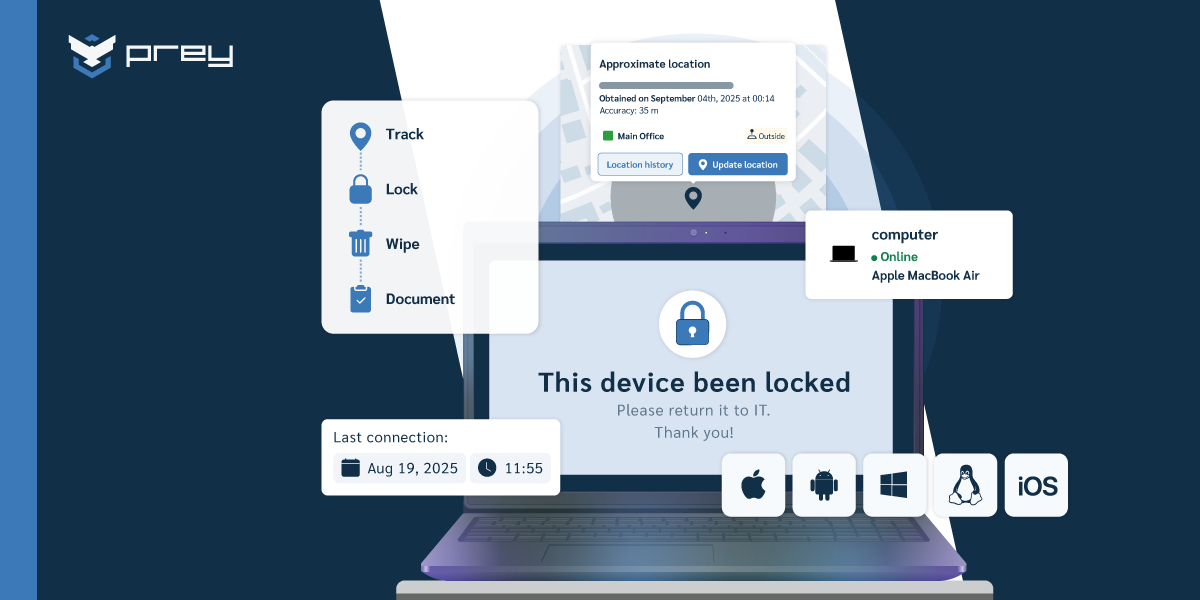
Recovering an unreturned laptop is a five-step sequence: locate the device and confirm it's online, confirm who currently has it, lock it to stop further local data access, document the state with timestamps, then decide between physical recovery and a remote wipe. Most checklists say "collect device" and stop; these are the steps that actually close it.
Start with location and status. Before any conversation, you want to know whether the machine is even online and roughly where it is. A device checking in from a home address weeks after the due date tells a very different story than one that went dark on the last day. This is also how you handle the false-return case. One IT team in construction didn't argue about whether a laptop was returned: they showed the user "his picture of him using it, what he was doing and at his home address," and got it back fast. That wasn't surveillance theater, it was one screenshot that ended a dispute in a sentence.
Then lock. Locking the device stops further local data access and, on most setups, puts a message on screen with return instructions. This is where you've contained the data risk even if the hardware conversation drags on for days.
Document as you go. Every location check-in, lock action, and message is a timestamped record. If the case reaches HR, legal, or an insurer, that timeline is your evidence, and it beats a memory of "I think we asked them twice."
Only after those steps do you decide: keep working toward physical recovery, or wipe. For a machine with sensitive data that isn't coming back on a reasonable timeline, protecting the data outranks recovering the aluminum. This is a different workflow from chasing a device taken by an unknown third party, which is theft; if that's your situation, the process for a stolen laptop starts with law enforcement, not an offboarding runbook.
Quick win: Write down your team's answer to one question: when a laptop doesn't come back, who locks it, who documents it, and at what point do you wipe it? If any of those three has no owner, that's the step that stalls in a real case.
Getting the laptop back without making it adversarial
You'll recover more laptops by making the return easy than by making it a confrontation. Most people who haven't sent a device back aren't stealing it, they've just deprioritized a task with no deadline attached. Give the task a deadline and a nudge, and the machine usually comes home on its own.
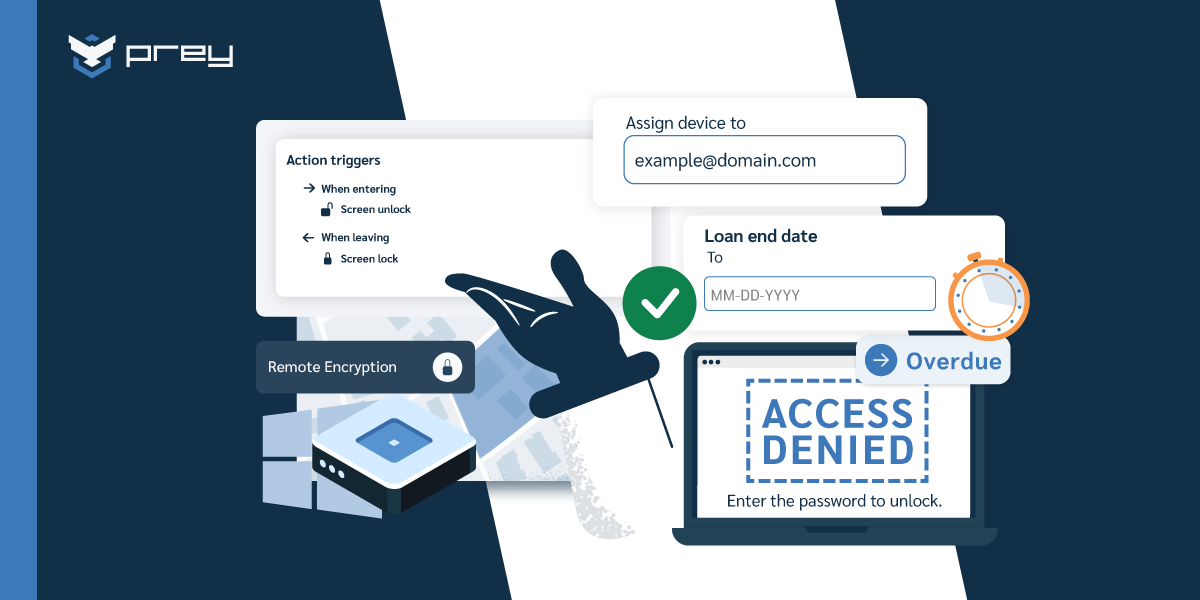
The lowest-friction lever is an on-device message. A short, calm note on the lock screen with a return address and a prepaid shipping option turns "I'll get to it" into a concrete next action. One e-learning team reported the direct result: after they started using device locks with return messages, "the percentage of returns has increased." No calls, no escalation, just a visible reminder on the one screen the person can't ignore.
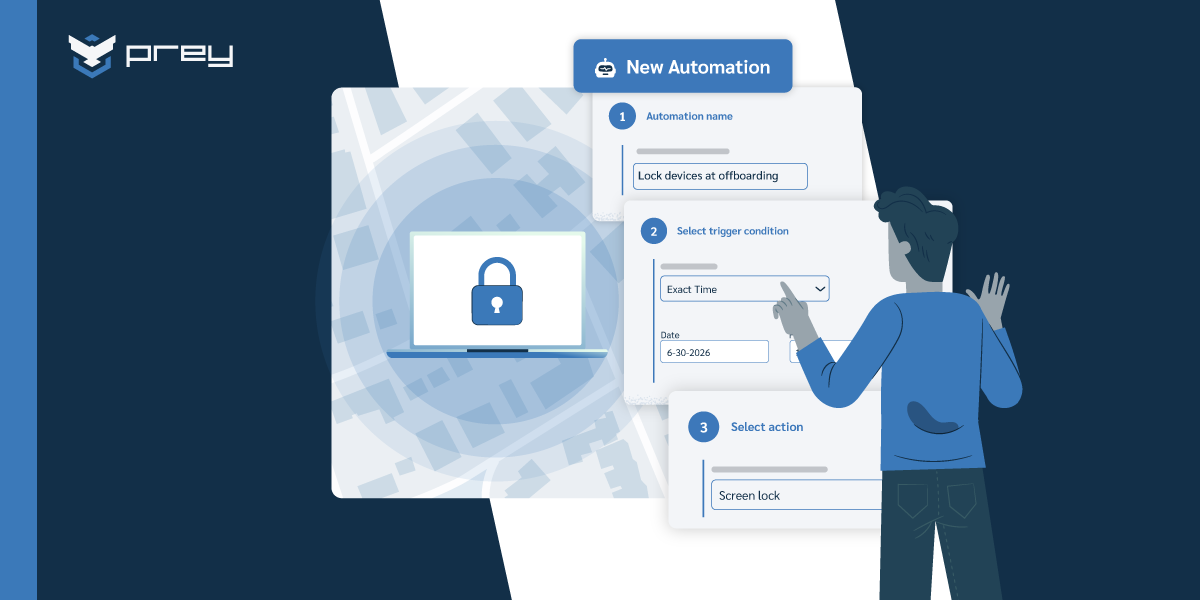
The second lever is timing the lock to the return date instead of improvising after the fact. If a device is due back on a specific day, an automatic lock on that date does the follow-up for you. A network administrator running a loaner program described exactly this as the feature that mattered: they set "an auto lock on the device when the asset is supposed to be turned back in." The same logic applies to geofencing: a device leaving a defined zone can trigger the lock automatically, on schedule, without anyone remembering to chase it.
Keep the framing about the process, not the person. Offboarding is a workflow every departure runs through, not an accusation. The construction team's screenshot worked because it was matter-of-fact, not threatening. The goal is a returned laptop and closed exposure, and a calm process gets you there more reliably than a tense one.
Quick win: For any device on loan or heading into an offboarding, set an auto-lock for the return date at handout, not after it's late. The follow-up you automate today is the awkward phone call you don't have to make next month.
Protecting the data when the laptop doesn't come back
When a machine genuinely isn't coming back, the priority shifts from recovering hardware to neutralizing the data on it, and that's a decision you should be willing to make deliberately. A remote wipe or full factory reset erases the local files, cached credentials, and stored sessions your account revocation never reached. The laptop's replacement cost is real, but it's rarely the expensive part of the incident. The data is.
For an IT director in the room during a theft or loss, the calculus is usually clear: they care more about wiping the data than recovering the hardware. A remote wipe closes the exposure the moment it runs. A full factory reset goes further, and it's worth calling out because it's uncommon on Windows through remote tooling, which matters when the device you're wiping is a company laptop, not a phone. If you want the mechanics of what a wipe does and doesn't cover, the details are in remote wipe.
The compliance side makes the wipe decision easier, not harder. A laptop with regulated data on it, patient records under HIPAA, personal data under GDPR, becomes a live exposure the moment it leaves your control. Under several breach-notification regimes, unaccounted-for devices with sensitive data can create reportable exposure, and the question an auditor asks is simple: could you prove the data was protected? A documented wipe with a timestamp answers that; confirming the disk was encrypted with BitLocker before it left is the second half of the same answer. An unreturned device you "assume is fine" proves nothing. This is where the return security of company devices becomes an evidence question, not just an IT one.
Not every organization even tries. In one vendor's survey of offboarding practices, 15% of companies said they simply write off unreturned equipment as a loss. That's a defensible call on the hardware. It's a much harder call on the data sitting inside it.
Quick win: Define your wipe threshold in advance, for example, any offboarding device silent for 14 days past its return date gets a remote wipe. A pre-agreed rule turns a stressful judgment call into a routine action, and gives you a clean timeline if the case is ever reviewed.
How endpoint visibility platforms close the device gap
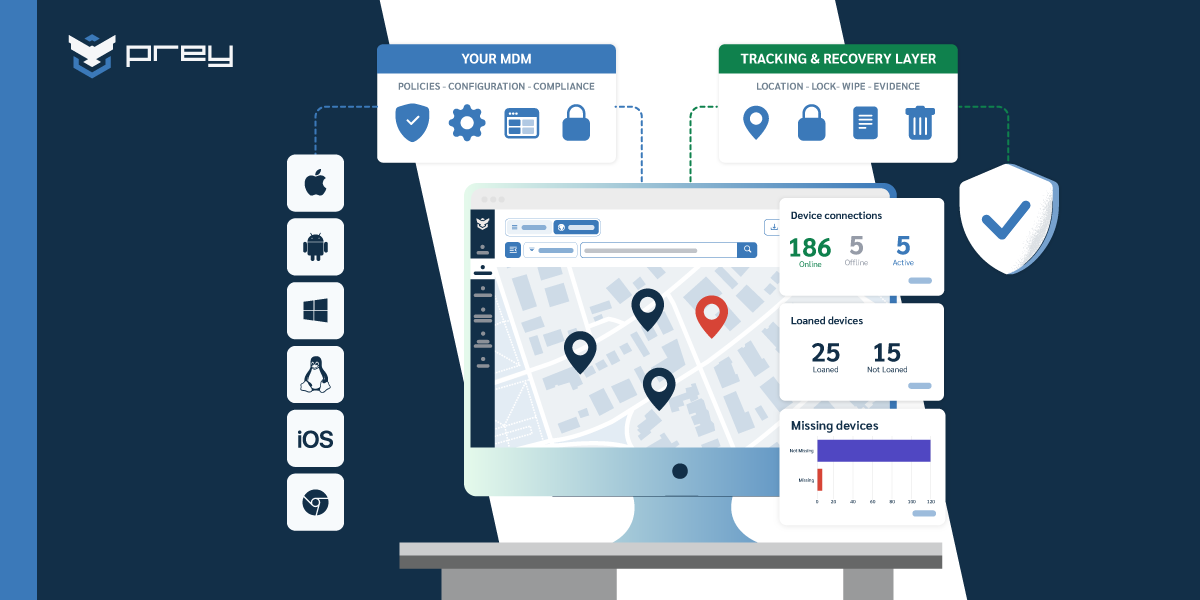
Everything above assumes you can see and act on the device from one dashboard. That capability, always-on location, remote lock, remote wipe, a schedulable auto-lock, and a log of every action, is what turns recovery from a scramble into a routine. It sits under offboarding regardless of which MDM stack you run.
Here's how it plays out end to end. At handout, or the moment offboarding starts, you set an auto-lock for the return date. Day one, you confirm the device is checking in and note its last location. If the return date passes, the auto-lock fires and a message appears on screen with shipping instructions. If the device stays out past your threshold, you run a remote wipe and keep the timestamped record. Every step is logged, so the case closes with evidence instead of assumptions.
Prey fits this layer for teams running mixed fleets across Windows, macOS, Linux, Android, iOS, and Chromebook who want the device side of offboarding handled without a heavyweight deployment. The Loan Manager side handles the due-date and auto-lock piece for loaner programs; the tracking and wipe side handles the departed-employee case. It slots in alongside an existing MDM rather than replacing it, which is how most teams adopt it.
If you're mapping this into a broader process, it connects directly to device lifecycle management and to laptop asset tracking, because recovery is just the exit end of the same visibility you need across the fleet.
Closing the device side of every departure
The offboarding ticket lies to you a little. It closes when the account is disabled, but the risk closes when the device is accounted for, and those two moments can be weeks apart. Revoking the login was never the same as getting the laptop back, because the data was on the machine, not in the account.
The teams that handle this well don't have a better recovery script for the crisis. They set the auto-lock at handout, they know their wipe threshold before a device is late, and they treat the device side of every departure as its own close with its own owner. That's the difference between a laptop that comes back on its own and one that's "missing for over a year with no way to retrieve it."
Monday-morning version: pull the list of devices assigned to anyone who has left in the last 90 days, check the last-seen timestamp on each, and lock the ones that shouldn't still be out. That list is either short, or it's the gap you didn't know you had.
What can I do if a former employee won't return their laptop?
Start by confirming the device is still active and locating it, which tells you whether it's a logistics delay or a genuine refusal. Lock the device to stop further data access and put a return message on screen, and document each action with a timestamp. If it stays out past your threshold, run a remote wipe to protect the data and keep the record for HR or legal.
Can you remotely lock or wipe a laptop an ex-employee kept?
Yes, if the device has an endpoint agent or MDM enrollment installed before the person left and it still connects to the internet. A remote lock stops local access immediately; a remote wipe or factory reset erases the local files, cached credentials, and stored sessions your account revocation can't reach. This is why the agent belongs on the machine at deployment, not after someone has already walked out with it.
What data security measures should be in place when company devices are returned?
Before a returned device is reassigned or retired, confirm it was encrypted, wipe or factory-reset it to clear the previous user's data and cached credentials, and keep a record of the wipe. That record is what proves the data was protected if the device's chain of custody is ever questioned in an audit or incident review.
Is it legal to track a company-owned laptop after an employee leaves?
Company-owned devices are company assets, and tracking them is generally permissible, but the specifics depend on your jurisdiction, your acceptable-use policy, and what the employee agreed to. The safest footing is a clear device policy signed at onboarding that states company devices are tracked and must be returned. Consult your own legal counsel for your region rather than relying on a general answer.
How do I recover a laptop from a remote employee who's gone quiet?
Confirm the device is checking in and note its location, then lock it with an on-screen return message and shipping instructions to make the return the easy path. Give it a firm deadline. If the device stays out past that deadline with sensitive data on it, protecting the data with a remote wipe takes priority over recovering the hardware.
See every company device, and act on the ones that don't come back. Prey gives your team always-on location, remote lock, and remote wipe across Windows, macOS, Linux, Android, iOS, and Chromebook, so the device side of every departure closes with evidence instead of assumptions. Start your free trial.